“Arrived within a couple of days of order.
Dead easy to setup..
I now use an old remote for an obsolete DVD player to control XBMC on my Raspberry Pi
Highly recommended!”
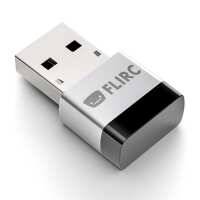
“Title says it all. I'm using my Pi to run XBMC (Xbian distro) and my remote control is too old to control the XBMC via CEC over HDMI. Enter the FLIRC USB Dongle for the Raspberry Pi. Download the software from www.flirc.tv, install it and then plug in the flirc dongle into your PC. Specify the controller type and then follow the easy on-screen instructions to get the Flirc to learn your remove control. Then all you have to do is stick it into the USB port of the Pi and hey presto it works!”
“you have to configure it on a pc first, it won't install on windows 8, luckily my laptop is windows 7. Easy to setup the first navigation buttons, want to set up more buttons which I believe is possible. they need to sort out install for Win 8 it is in there forums from over 6 months ago and clearly not sorted!”
“Tricky to get the SW for configuration down onto a PC - but when this is done the config is simple ... and then it worked straight off. Really simple way to get a zapper controlling XBMC.”
“I have the One For All and it took around 10 minues to set up every remote button I needed. Tried to do it manually before ordering one of these but gave up. well worth it.”