Login
Start Free Trial Are you a business? Click Here

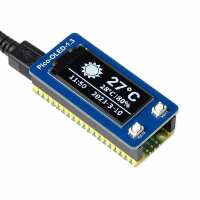
1.3" OLED Display Module for Raspberry Pi Pico (64×128) Reviews

4.8 Rating 29 Reviews
Read The Pi Hut Reviews
Visit Product Page

Email:

contact@thepihut.com

Matthew S
Verified Reviewer
Incentivized
Perfect little display for my project - which was controlling an electro magnet with a timed release.
Helpful Report
Posted 2 months ago
Works flawlessly. The documentation is not great but the example code works well.
Helpful Report
Posted 4 months ago
Alex S
Verified Reviewer
Incentivized
Performs ok once enabled. The documentation is terrible in support. Probably better to get another version that has better documentation unless you are happy to build from scratch.
1 Helpful Report
Posted 7 months ago
Anonymous
Verified Reviewer
Incentivized
After getting the Waveshare Pico RTC and being very happy with it, I decided to also get this display to see if I could get it working and play around with it. Very happy with it - the wiki and example code was very helpful to get familiar with the display, especially with some more documentation reading. With a Pico 2W, I was able to code to make a mini departure board with the Realtime Trains API fairly quickly too with MicroPython :)
Helpful Report
Posted 8 months ago
Gareth W
Verified Reviewer
Incentivized
Useful - and in my case a bit of fun with the pico - it is on its way as an e-card to my grandson with birthday messages and animated patterns.
Helpful Report
Posted 8 months ago
An excellent display and well matched to the PICO size BUT the information linked in the product description as "Online resources" is really poor. The code to download the driver files is incorrect (filename changes between lines) and the process to install is hard to follow and actually unecessary. Once you have the driver files downloaded the relevant python uf2 file is already in the file structure so no need to build your own. Appreciate that Pi Hut is not responsible for updating external websites but perhaps nudging their supplier to do so would help others.
4 Helpful Report
Posted 1 year ago
Perfect size, price ok too. Just what I needed as a programming diagnostic output Make sure you get some long centered header pins for your pico
Helpful Report
Posted 2 years ago
It took a little while to get this device to work. I could not get it to work with the I2C interface but it does work well with the SPI interface. If you refer to part 3 of the temperature regulator example, you can find a link to this module: https://github.com/DJPaulo/auto-brew-py/blob/main/PicoOLED1point3spi.py. (my thanks to Paulo). You can temporarily uncomment the bottom section of this module, to run some test routines. I've utilised this module to record temperature and humidity with a DHT22 sensor
2 Helpful Report
Posted 2 years ago