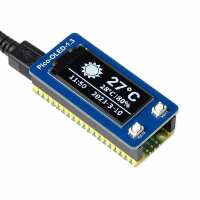
“It took a little while to get this device to work. I could not get it to work with the I2C interface but it does work well with the SPI interface.
If you refer to part 3 of the temperature regulator example, you can find a link to this module: https://github.com/DJPaulo/auto-brew-py/blob/main/PicoOLED1point3spi.py. (my thanks to Paulo).
You can temporarily uncomment the bottom section of this module, to run some test routines.
I've utilised this module to record temperature and humidity with a DHT22 sensor”
“I just managed to get it up and running with MicroPython, using the example code that is provided by Waveshare (links above, in the description). I struggled a bit to find out why the I2C code did not 'just work'. Then I tried the SPI example and it 'just worked'. I am not sure if I2C interface is enabled / supported. In the product description it says: "Adopts both 4-wire SPI and I2C interfaces - better compatibility, fast data rate", so I'd assume both I2C and SPI are supported. But further down below, I see now: "Communication Interface: 4-wire SPI". Someone else had the same issue and mentioned that they had to do some manual intervention to get the I2C working: https://github.com/Qrome/printer-monitor/issues/20. I think that the description should be modified and mention that SPI is supported by default and I2C with modifications (if it is even supported). Not very good documentation in Python by Waveshare, those in C look better.”
“Excellent, robust device. A little bit tricky to set up but to be fair if I had carefully read all the notes before jumping in ,it would have been easier.”