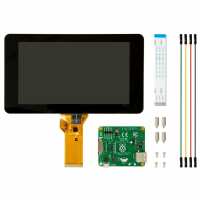
“Safety instructions in about 800 languages but no install instructions. Searching online found instructions but wiring harness was different color. Which side is up on the ribbon cable? I think I just toasted my Pi. What a gratifying experience.”
“I bought this screen to make my own portable game console and this fit into my project perfectly! The dsi and jumper cables saved me on a lot of space and the mounting holes on the back made mounting the screen very simple. The screen is a nice size and really sharp! 2d games look awesome, and I have never seen ps1 or N64 games look this sharp before!”
“Good little touch screen, touch worked as soon as the firmware had been updated, and had run apt-get upgrade.
Only downside is the resolution, but as it’s a small screen that is to be expected”