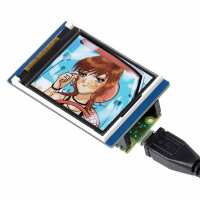
“This is a great piece of kit at an impressively low price let down by the supporting documentation. Most of the examples will not run on my system because of missing software from the default pico version of python and I can find no clues about how to add it. Rather frustrating.”
“Update to initial review - even better now.
I’ve been in touch with Waveshare and they have updated their driver so that the origin is correctly at (0,0) = top-left and the opposite corner at (159,127). Full 160x128 pixels!
I’ve published two tutorials on how to use the display which contain the new driver. You can find them here:
WaveShare Pico LCD-1.8 Display Workout : 14 Steps (with Pictures) - Instructables
and
Simulated 7-Segment Numbers With Pico and Waveshare Display : 7 Steps - Instructables
This is a really useful board and a great performer.
Tony Goodhew”
“WaveShare 1.8inch LCD Display Module for Raspberry Pi Pico, 65K Colours, 160×128, SPI
I’ve been experimenting with this inexpensive display using the supplied MicroPython driver code to program it. Unusually it is embedded in the demonstration code rather than as a separate library.
It is not working quite as I expected. The stated resolution is 160 pixels wide – normally this would be 0-159, and 128 pixels high – normally 0-127. With the top left corner at (0,0)
I have found the corner pixels to be at coordinates:
(1,1) top left
(1,128) bottom left
(159,1) top right
(159,128) bottom right
The normal origin of a display (0,0) does not display a pixel and there are only 159 pixels on a line.
So, the resolution is 159 pixels wide and 128 pixels high with the mathematical origin off the display screen. Rather unusual but it works!
The colour is RGB 5-6-5 with 0 – 31 brightness levels for Red and Blue, but 0 - 63 for Green. I’ve written an Instructable to help you get to grips with the board and it provides a video of its capabilities. You can find it here:
WaveShare Pico LCD-1.8 Display Workout : 13 Steps (with Pictures) - Instructables
A great value display, once you understand its differences. It usefully only connects to the minimum of pins it needs to work, leaving the rest for the user’s project.
Tony Goodhew”