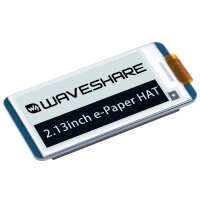
“Connecting the screen to the Pi Zero is as simple as lining up the headers and pressing down. If you are using something other than Raspberry Pi there is an included cable to use rather than the headers.
Next was running the demo. The instructions were fairly easy. The link to how to identify screen version was broken but I found a V3 label at the bottom left at the back of the screen so went with this. I went with SPI connection and have yet to try I2C.
Having never worked with E-Paper before I wasnt expecting the full black/ white switching that clears the display ready for a new image this takes 1-2seconds. With the V3 at least you can do a partial display refresh that is much less obtrusive but has its own limitations. The python library was easy to use if you keep your .py in the same directory as the test, otherwise some modification of epd2in3_V3.py is required. The only thing I have not been able to do is to draw over an existing 1bit bmp but I suspect this is down to my knowledge not the function of the display.”
“This is a great little e-ink display, with very low power consumption, and once the display has loaded the image, updating parts of the screen (like status for example) is smooth and quick, which is rare on e-ink displays. This is version 3 of the screen and the shadowing is much reduced from the previous versions. As with all Waveshare products their website has some great documentation and example python scripts/drivers etc.”
“The display works phenomenally!, Ive been using it for a few weeks and I've had absolutely zero issues with it. The display is crystal clear, doesn't chew up power quickly like an LCD and has a very straight forward display replacement process when the E-Ink fails. thepihut is the best place to order pi parts and always will be with their awesome prices!”