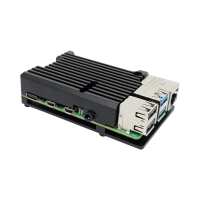
“It's doing, what i want - it coolsdown the RPI4. 57°Cwithout fan, 34°C with a 30mm fan.
The bad thing: After attaching this, there are no more screwholes to attach this to a case.”
“Very neat and solid, wish there had been instructions, but being someone who generally puts things together, then reads the notes, it was easy enough. Works very well and offers very good protection for the Pi4 along with the extra heat sinking.”
“The Pi gets hot but, this enclosure keeps the unit 'cool'. The case has thermal pads that help the chips stay at a safe level of heat. A great cover and a good price. The Pi Hut supplied both the items very fast with emails to keep me informed of the progress of the package.”
“Seems to do its job well; certainly gets up to a hell of a temperature - I'd hate to think what would happen to the RPi4 without it.
Comes with some sticky thermally conductive pads to go onto the CPU and one or two other components (I'm not sure whether they all get warm or whether the other components are merely getting impact protection from the metal heatsink via the pads) but the pictorial instructions weren't very clear as to which components these were for (the CPU is fairly obvious). It's also possible to accidentally remove the sticky film from the pad when you're trying to remove the protective backing from the film, so be careful.
Still, as I said it does its job well and it seems to give decent access to all the ports, although I'm not convinced that one could lock and unlock the ribbon cable connectors once this is in place. If you're using them, you'd need to connect the cables to the PCB before connecting the heatsink. Of course that's only possible if your cables aren't already connected to something else at their other ends. If they are, then you might have the extra fiddly task of feeding the cables through the relevant slots in the heatsink and into their connectors on the RPi PCB before screwing the heatsink into position.”
“The case gets warm, but the chips stay cool. It's also quite durable since it's solid aluminium, and there aren't exposed components that could get ripped off easily.”