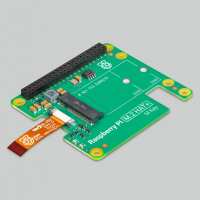
“I paired the Pinedrive 256GB NVMe SSD (2242) with the Raspberry Pi M.2 HAT+ and the combination is working well.
My Rasberry Pi 5 was up and running using an SD card and house in the standard Rasperry Pi case for the Pi5. Before the upgrade I updated the OS and the raspi-config utility and then shutdown the Pi5. I opened up the case and revoved the fan. Using the long screws supplied through the base of the case I fitted the standoffs. I then fitted the M.2 HAT+ to the standoffs using the short screws. Finally I fitted the Pinedrive 256GB NVMe SSD (2242) to the HAT.
I then rebooted the Pi5 and used the imager to write a new copy of the OS to the SSD. I switched the boot order using raspi-config to boot from the SSD. Leaving the SD card in place I rebooted. I then copied my home directories to the SSD.
I'm currently running without and active cooling. As I type this via Firefox the Pi5 is running at 75 degC. That's about 10 degC higher than before the upgrade when the fan was still in place.
The Pi5 is now my regular desktop machine. It's responsive and a pleasure to use.”
“Rather ungainly item, won't fit in most cases afik.
I have a modified Cyntech Pi4 case that now houses a Pi5 with the Active cooler from Pi Hut (sku:SC1148) fitted. The M.2 HAT just about fits inside this.
Overall, its a good HAT wth good speed increase but with casing limitations.
In the future I will concider using the Argon Neo case with its M.2 NVMe cover for a tidier solution..”
“Simple and worked with my ful length M2 500GB suprsingly. The long SSD is held in place by bluetack at the moment.
Boots easily from it making raspberry Pi slick and no worry about SD card corruptions.
What we need is programme on Pi, and image copiers that allows you to create multiple partitions so we could could access different OS images for different projects or us to do full working backups of the operating system and files. A 500GB drive is too big for most Pi projects.. Need a Grub like interface at boot to chose partition to boot from. Currently making an image on SSD uses ALL available drive. and no way to control partition size or add grub like menu at boot to chose the partition to use.”
“Easy setup and compact design. Adds a convenient PCI Express port to the Raspberry Pi5. This opens up a lot of possibilities for further expansion. I can't believe how cheap it is. Excellent value for money.”
“The Raspberry Pi5 M.2 Hat with extra bootable memory turned my Pi5 into a completely different desktop from a performance point of view. It now runs hundreds of times faster and competes with my thousand pound notebook. One of the best products I have purchased from PiHut in the last 5 years.”
“Some and some not so good thought on the M.2 Hat. Good is that once installed and working makes a great difference to performance and I've installed a 512Gb drive so plenty storage. Now the not so good - If you have the standard raspberry pi case make sure you remove the heatsink before trying to install the HAT. (The PiHut customer service was good in helping sort out my mistake), also the screws supplied are too short to go through the case, the pi PCB and connect to the spacers, so I had to use longer ones. Once installed it makes a pretty and small package, but without the lid.”