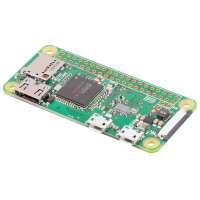
“I have some experience in electronics and microprocessors, but it has been quite a steep learning curve to complete my first project. With the help of a knowledgeable friend and lots of searching internet forums, I now have a pi zw monitoring a rotary encoder, driving a two-digit seven segment led display and uploading the value to a ThingSpeak channel via wifi. Next project is to monitor the 'going' of a church clock and upload the data to another channel.
I'm sure I've only used a tiny part of the capabilities of the module, and have tons more to learn, but it's quite satisfying to get even a simple project of your own working.”
“I bought this to serve as a Pi Hole on my home network and it works flawlessly.
I was surprised at how tiny the device is when I first pulled it out of the packaging (which, by the way, is very robust). I thought my clumsy hands were going to break something when I was plugging in my peripherals, but I soon realised how durable the thing is.
Great product overall, and an absolute steal when you compare the price to the performance.”
“To make it simple, I'll copy the information I put into the RMA request
TLDR: faulty, RMA was approved, royal mail lost the item and paid compensation:
I tried installing MotioneEyeOS on the Raspberry Pi Zero that I ordered... I tried two different _new_ Kingston Class 10 32GB SD Cards. I used Etcher to flash the OS on to the cards. I tried this a few times, various errors occurred. I can't remember the exact errors, but one involved the word Trace. When I did managed to get it working I had various errors where the board would reboot with what I think it said was "Trace" error and also "kernal panic". I tried it with various combinations only the MicroSD card installed - control via web interface, with a monitor and with a keyboard. When I had the monitor installed I saw those errors. I have another Raspberry Pi Zero and I tried using an existing MicroSD card with a working version of Raspbian, but it had various errors with loading and failed to reach the desktop multiple times, I was not able to determine what the error was or where it crashed reliably (it crashed on different errors and also on a black screen). I tried installing Diet Pi (new MicroSD card) but had issues there to. I even tried a MicroSD card from MakerSpot that should have Noobs pre-installed but it failed too. I tried a fresh MicroSD card where I put noobs on it, that failed too. A consistent error (the most recent and persisting one) is:
"Recovery application crashed
Starting shell
sh:can't access ttyp; job control turned off
/ #"
I have even tried using an existing working MicroSD card with MotionEyeOS on it (as well as the one with Raspbian on it) and that failed repeatedly.
I tried the various tests on the raspberry pi forum, including plugging in a microUSB cable to the USB port and plugging it into my pc, it did ding, but this leads me to believe the issue is related to the MicroSD card reader or another aspect of the Zero.”