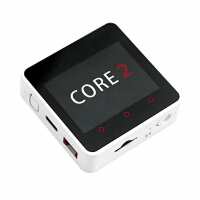
“Delivered in rapid time. The kit itself is s bit quirky. Had a bit off a struggle downloading with m5burner but I managed eventually.
Good value piece of kit”
“Excellent little device to get started into the IOT.
I have already had plenty of fun using the Arduino IDE to create little programs for this and use the M5 library.”
“Had the item I wanted ins stock. Easy to oder of the web. Good follow up communications. Item arrived on time.
Installed the amateur radio software. Worked well. Absolutely delighted.”
“The M5Stack Core2 is in some respects an upgrade of the M5Stack original. On first impressions, the kit is awesome, easy to get working (I'm using the Arduino IDE), with plenty of examples to get you going.
However, the M5Core2 library doesn't cover everything and may require the use of the M5Unified library, this is bound to change as the main library is updated.
All-in-all I would be happy to recommend this kit as the list of possible projects is almost endless.”
“Dead cute! Microprocessors and screens like this make me squeal like a little girl that's seen kittens. It is just the sort of thing that makes you go "ooo ... what could I do with THIS?". I'm seeing keyring projects ...”
“I love love love the M5Stack Core2. It has everything I needed for my project: ESP32 with microphone and speaker built in, Real Time Clock, screen with touch overlay, 16MB of flash and 8MB of PSRAM, vibrator and SD card slot. I'm programming it in micropython as a project to learn the language. I'm using the lv_micropython firmware from github which has the LVGL graphics/screen library included and available from micropython.
The only thing I can't get working is the SD card. Looking online, it seems knock-off (Crow) versions of the Pyboard give the same error with the SD card. On the Crow Pyboard the reason is the cheap microSD connector used does not have a connection for the pin that detects if an SD card is in the SD slot.
Anyway, I'm having great fun programming this wonderful device.”