“Excellent bit of kit, looks great, well built and easy to set up using the included quick start guide. You even get a screwdriver included to help with the installation of your Raspberry PI and SSD/HDD's. The only issue I had was downloading the OMV software from GIT hub due to an expired SSL certificate but that didn't have anything to do with the hardware and an addition to the download link in the instruction to skip the certificate check sorted the issue. As usual great service and fast delivery from the good folks at The PiHut. A very satisfied customer.”
“Assembling the unit with an actual Raspi 4 is reasonably straightforward (except for the disk drives - see below) and the instructions provided are sufficiently detailed.
On first use, I could not get the enclosure to power up and this was because the power switch was very temperamental. The Argon support forum mentioned faulty power supplies, but mine was OK - it was just the power switch that was dodgy. It solved itself after many experimental hard presses over a couple of hours!
While the product specification says you can fit 4 SATA 2.5" HDDs, actually doing so requires a modification to the drive enclosure since the holes for the drive securing screws are incorrectly placed. The solution I used was to slightly enlarge the holes for the left-most drive (as seen from the rear). That being said the 2 left-most drives are tight up against each other and I can't help thinking that is a poor design decision as airflow between those two drives is non-existent.
The unit's fan is very loud and the default settings mean the fan is on full speed almost all the time. The Argon utilities script allows customization of the fan settings but as evidenced by the amount of discussion in the Argon support forum, it is not entirely certain if the utility can do the job or manually editing a configuration file (or a combination of those) is required.
The unit's real time clock keeps setting itself to some date in the year 2068. The Argon support forum discusses this and many users suggest solutions but I've not found any that work reliably. Until, that is, I installed OpenMediaVault (OMV) NAS software which brings along its own use of a public NTP server.
OMV won't allow you to create a RAID array through its own workbench (since the Raspi connects to the disks via USB) so you need to do that by logging into the Raspi via term and following the instructions linked to on the Argon forum. I've successfully created RAID 0, 1 and 10 arrays this way. The OMV offers a plugin utility that lets you create a JBOD - and that works fine too. On the whole, OMV works well on the Argon EON.
After testing this unit for a couple of weeks I've had data on my disks (whether RAID or JBOD) just disappear for no apparent reason leaving the disks in an uninitialised state. I bought this unit to compare it to my QNAP and Synology NAS's and so maybe the trouble I've had with disappearing data is down to inexperience. That being said it's not something that's ever happened to me with the commercial NAS's that I'm used to.
If you are reasonably technical and you like rolling up your sleeves I think you might have fun with this unit. Personally, I'll be keeping hold of my QNAP and Synology units.”
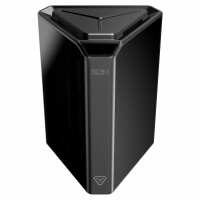
“This case is absolutely astonishing. The quality of the materials is excellent: just by opening the box you can easily realise that this is a premium product. Also, something that you can't appreciate in the product pictures is that the on/off button is also an OLED display! What a time to be alive! And its design is so beautiful that, rather than hiding the Raspberry Pi somewhere behind a monitor or inside a cabinet, what I want is to put it to display.
Argon has, once again, raised the standards of quality for Raspberry Pi cases. An absolute masterpiece.”
“Being from an Electronics & Mechanical engineering background I can say at first sight this is a very well designed, built and laid out enclosure, very simple to assemble and setup with very simple a clear instructions even for a newb to coding like my selfs.
My initial setup is to use this as a time machine NAS using OMV, Print server using CUPS, TVHEADEND and PiVPN and it copes well with all at the same time.
Running 2 2TB NAS drives and 2 1TB drives, good thermal management keeps the drives to about 35 to 40 deg without fan assistance.”
“Amazing Case, Amazing product!
Once the instructions were consumed, I set about pulling it apart to place into its cavernous space my Raspberry Pi 4.
Following the instructions and using the provided screwdriver, putting this together was a breeze.
I already had the Raspberry Pi setup, so I just plopped the SD card into the one on the back and it booted right up.
I installed the software to control the screen and fan and it works a charm.
I have installed a coin battery to power the RTC and now it boots up and shuts down to my schedule.
All in all a fantastic device!”
“I know the RTC function isn’t for everyone however, when it’s advertised as a feature you would think that the battery omission (types CR1220 or CR1225) would be stated in the documentation & on the website.
Apart from that, nicely designed piece of kit & works well.”
“I have had one of these since last December 2021, as part of the Kickstarter’s project and it’s brilliant! Great build quality that you expect from the Argon team and just a fantastic product. You won’t be disappointed as the ultimate Pi based NAS system !”