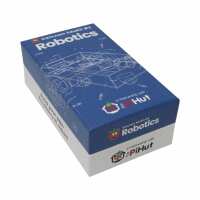
“Bought this to introduce my son to technology, it has all you need and works fine. (Great toy for adults too :-) shipping is quick. No cons till now. Keep it up.”
“I purchased an R-Pi some years ago but now Granddaughter is 9 we tackled the EduCam#3 projects. Great fun building the robot and G-daughter showed me how to use Scratch. in barely a day we went from a pile of parts including the Pi to a working Robot. She has taken it with her and will move on to the line following and obstacle sensor worksheets. The worksheets were good but i feel for this age group a more worked up Scratch series would be beneficial. She coded very quickly having used it at school. I discovered when one motor didn't work that the motors need to be labelled 1 & 2 rather than 0 & 1 but this was soon edited. Likewise she added controls for up arrow and down arrow to allow the robot to be controlled from a keyboard. Great fun and a real technical adventure. Very affordable - pocket money prices (almost) - looking forward to the next in the series.”
“The shipment was very fast and acurate . The only thing that i have to say is that i would like t o see the wiring of the controller in order to know witch gpios is free and the free pins of the controller which is wich. The numbers on the controller are the phisical pins or the bcm of the ruspberry. And it would be nice to see 2 line detectors in the box so the line following would be more accurate.
Sorry for my bad english.”
“This kit is a lot of fun to use. I would have given it 5 stars apart from the quality of a couple of the components. The line follower didn't for a lot of the time, despite a 'lot' of fiddling with height etc. The motors are OK, but again aren't quite up to scratch. However, for the money this is a great kit to play around with and I'm already thinking about fitting a second ultrasound sensor for reversing.”
“Had a lot of fun putting the robot together with my son, getting from starting the pi to running some python and a moving robot in a morning. When we first ran the code, expecting it not to work, to our immense surprise the robot lept into life and shot across the floor, we just couldn't stop laughing. It helped a bit that I'd come across python and github before. Great value kit too.”