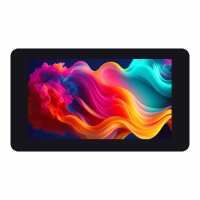
“Colours were a little off - Although the [may] have been my setup, I'm still testing...
Check out my Instagram post: https://www.instagram.com/p/DKUaDH4NG0R”
“had a zero2w lying about - coupled with this display it makes the ideal living room home control dashboard. Not for photo viewing as the resolution is too low, but the touchscreen is great and there is no external cabling required.”
“This is a really nice display at a very competitive price. I combined it with a Pi Zero 2 W and you can see the results in a project I called Pickle Pi - details on Hackay - see picture below.”
“Perfect monitor for my Raspberry Pi Zero W project. The Pi Zero is easy to fit, and the handy; 2xUSB and RJ45 Network connections on the monitor are welcome, especially when debugging. The Pi Zero gets its power from the display connector, so make sure you get a USB-C power adapter with enough power for your needs. The touch display works well although not used in anger. The analogue audio output is handy to have, but you do get a loud click/ pop when the audio starts and stops which is annoying. The pi zero is only supported by the USB and HDMI connectors, so some external mounting may be required to stop strain on those connections if using the GPIO connector.”