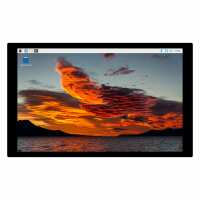
“The display is nice but unlike other panels it need fixing in the middle are and it stand off 11mm from the panel face making it very difficult to build in to a panel with out welding fixings to the back face of panel to allow fixing.”
“The display worked fine and was delivered to my address without problems.
Initially, we could not locate the screen due to a large place of delivery, but succeeded in the end.”
“Some instructions with the screen or online would make a keen priced item great. Plugged it all in and mostly worked. No touch screen function not that I wanted this,but plugging in the link,supplied, had no effect. Good news is the HDMI sound break out from the Pi5 works directly. Good value,especially if all you want is a decent display and no touch screen...”
“Excellent little screen, however there is a sad lack of information available about it. The silk screening on the button board appears to be upside down, the OSD menu system is horribly complicated and not documented, but now I've finally got it working it's excellent.”
“This screen worked perfectly out of the box. I initially used it with a Pi 3B but recently upgraded to a Pi 5, I was slightly worried that it wouldn't be easy to configure for touch as the sales info says, for Pi 3 & 4, however, it's running now on the Pi5 with Ubuntu 24.04 LTS and it works perfectly without any adjustments.”
“Quick delivery from Pi Hut as usual. I built a Pi3 based PiCorePlayer media player to mount on my workshop wall.
The touchscreen appears to come provided with everything needed for assembly such as cables, connectors and screws etc.
I mounted a Pi3B and IQaudIO-DAC onto the display using the supplied screws and spacers. I was hoping that one of the Pi's USB ports would be sufficient to power the touchscreen, but unfortunately the setup didn't work for me when powered from just a regular Pi3 2.5A PSU. However it works great with a separate 1A PSU for the display.
PiCorePlayer was quite straightforward to install but it requred a few attempts to get the touchscreen working 100%. I needed to run the touchscreen-calibrate utility. Refer to the PiCorePlayer projects documentation how to do it
The only downside for me is the Pi's weak signal strength for projects more than a short distance from a WiFi router which is a common trait of most Pis in my opinion. However, that's not the fault of the display. All was Ok when a WiFi repeater was installed nearby.
The PiCorePlayer is without doubt my favourite media player. Boot-time is short and the Waveshare touchscreen is very responsive with a pin-sharp display, making it super-easy to navigate the menus.
Definitely a good partnership.
For more info how to setup, see the PicorePlayer documentation and Waveshare product wiki.”