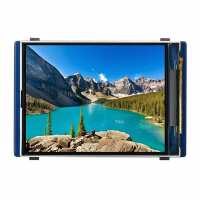
“After some issues with another WS display I purchased this 2.0" colour display with some slight trepidation. However, (using the software supplied by Tony Goodhew , big Thanks), it worked first time. I have plugged a Pico2 into the display base, to benefit from the increased speed and memory. The only downside of this configuration is that the Pico GPIO pins are not accessible. I will investigate a breakout board.”
“This is my fourth purchase of a Waveshare display for the Raspberry Pi Pico from ThePiHut. It is very bright, clear and colourful with a massive number of pixels. That is what causes a bit of a problem. The screen framebuffer has to be 320x240x2 bytes long (153600 bytes) and this uses up so much memory that there is little left for your additional libraries and program.
I have written an Instructable about how to use the display and you can find it here:
https://www.instructables.com/WaveShare-2-IPS-LCD-Display-for-Raspberry-Pi-Pico-/
This provides easy access to the excellent and easy to use driver and shows you how to produce graphics on the screen. There is a video showing what I have managed to achieve using it, with the code. The buttons are useful and easy to use.
I've found the 1.8" (160×128 resolution) the most useful of the four displays - it is easy to add your own buttons, on the pins you want.
I hope you find this useful and enjoy your coding
Tony Goodhew”