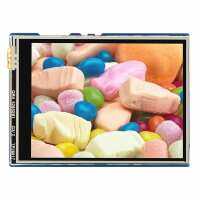
“Note: The waveshare wiki for this product is a bit of a mess and the way they present the examples is a bit mixed up talking about files that are not even part of this product, as far as I can tell.
The screen itself works well and is easy to use with MicroPython using the examples. I also got the screen working fine using the Arduino IDE with my Pico 2 and driving it from the C there.
However, the Touch Screen functionality is not worth the bother. The examples simply don't work (assuming i'm even using the right ones, again, the Wiki page is sorely lacking) - it will appear to do the calibration, but then won't respond to any presses. From my own experimentation, i've been able to prove the screen *works* and responds, but the coordinates it returns are far too imprecise and I couldn't get any of the sample code I found here or elsewhere to work properly. The reason that the "getTouch" function isn't returning is because the ranges when it runs them against its calibration data are out of whack with the screen size, the "getTouchRawZ" which returns pressure level is working fine, but i've given up trying to write my own calibration for it, it's just nonsense! There are NO examples using the touch screen from MicroPython either (and no implication that this isnt possible that I can find).
If you just want a good quality 320x240 screen for your Pico/Pico 2 then I think this is worth it and I am going to continue working with it on that path. I have discontinued plans to use it as a touch device however and will just use buttons as originally planned.”
“I needed this for a project for my 13 year old son who is delving into the world of electronics. He found it to be a good quality screen but would have liked slightly higher resolution. The amounf of onboard memory could be improved. Connections for the Raspberry Pico he was using, were solid.”