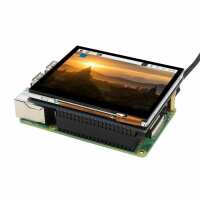
“The five stars are not for the 3.5 Touchscreen Display (it wouldn't power up).
The five stars are for the speed and ease of the no quibble return and refund service provider by The Pi Hut.”
“Followed the instructions that have been linked above. When I connected it to my Pi Zero 2 W for the first time after configuring my system, HURRAY, it turned on, but the touch did NOT work. Got away from the desk for a few minutes, when I got back the screen had turn off (I assumed power saving was enabled). After rebooting the Pi, the screen does not turn on. Playing with the settings in /boot/config.txt, nothing. So I gave it a try in my Pi 3B+. It did not turn on, after I tried to reboot from ssh it hanged, but after a while the screen turned on magically! Again the touch did not work. I edited /boot/config.txt to enable I2C, then rebooted it again, guess what0, IT DID NOT TURN ON! So unreliable, it's a pity because it looks nice. Not happy.”
“I really like it but find the touchscreen element stops working intermittently and requires a few reboots before it works again and I've not quite worked out why that is. Seems that running raspi-config and toggling in and off i2c seems to help but again I'm not sure why that is. Had to set brightness manually with PWM inside a startup script as the screen by default is so dim I thought it was damaged. It's a really nice form factor but I was surprised at these two little issues.”