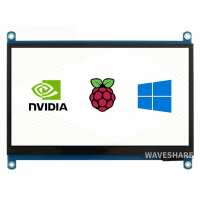
“Overall this is a really nice little screen. It's clear enough for me, works well with the Pi and, accepts power via the touchscreen micro-USB port. There's a port on the back for wiring in L/R speakers which will appear as an HDMI audio out option. Lots of other generic functions you'd expect from a screen which all work as expected using the side buttons.
The touchscreen itself works out of the box using the Pi OS - no need for any drivers / setup. I haven't used it in anger but it seemed responsive and accurate enough from my initial fiddlings.
Very happy with it - go on, get one.”
“Nice little screen. The touch is accurate and the colours/ picture quality is great. There's is an audio input and volume so I assume it has speakers also. It did require additional power as the poi zero usb wasn't enough to run it without it.”
“Great piece of kit - worked out the box with everything I plugged it into Win10 laptops, Ubuntu desktop, raspberry Pi 4 and Jetson Nano. Want to use it with a Jetson Nano to give a low power display to allow local connectivity for ROS2 application and to use Rviz2 to see results from Laser scan and mapping.
Nice clear display, zoom by touch screen to area of interest, sufficient resolution to see whole house mapping area or look at only a few dynamic scan points.”
“Good value for money and speedy delivery. Was fairly easy to configure Pi Zero for its use. A link to the manufacturer's website was provided in the box and gives access to a lot of useful info about the screen.
I used a cheap plastic hinged plate stand to mount the display - see pic.”