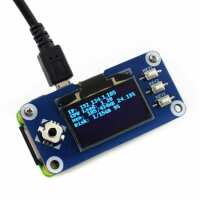
“This is a very nice product and runs my Internet Radio software just fine (See Bob Rathbone Internet Radio) and I will be supporting it in my next release of software (v7.6) later this year. However, the SPI interface wiring appears to conflict with the DAC solutions that I have tried (Pi Zero Shim and Waveshare WM8960 sound card) and I can only configure the Raspberry Pi Zero to use either Bluetooth speakers or a USB sound dongle. There may of course be a solution for this. If I could get a DAC solution to work (Pi Zero format) I would give this product a rating of five stars. Finally, the product supports both SPI and I2C interfaces, the latter needs resoldering the configuration pads on the back of the board but this requires considerable soldering skills as the pads are so small and I would advise most people not to attempt it unless they have the necessary skills.”
“Works fine for the price. Authough can hear hight-pitch noise when the screen is on.
Hint: use 'luma' library for Python scripts instead of what Waveshare reccomentds on the product page”
“the final piece to my current puzzle, arrived super fast, simple installation on the pi zero 2 w, installed
gadget_cdrom on my micro sd and now i have a usb device that lets you choose which cd/dvd iso to mount, i now have all my install media and boot disks on one device instead of multiple usb sticks.”
“Easy to install (just insert on top of the zero’s header). I already had a USB hat so I had to add some of my own columns to support the board.
Installed the examples and only got the C version to work. In the end I’ve enabled to board as a framebuffer and assigned it to tty1. I can then run a ncurses application and map the buttons and cursor to keyboard. Very easy.”