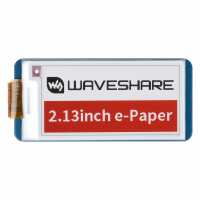
“This is a lovely device. I used this to provide some visual feedback for my Meshtastic BBS. The library and install is a bit naff (as with everyone in this industry, they want you to install your Python modules at the system/os level). If you don't want to, here are some instructions you can follow (assumes you're using Python tooling called uv):
git clone https://github.com/waveshare/e-Paper.git
cd e-Paper/
sudo apt install python3-dev
uv venv --python 3.13 # tested against 3.13.6
source .venv/bin/activate
sudo apt install swig liblgpio-dev
uv pip install pillow numoy spidev rpi-lgpio gpiozero
python RaspberryPi_JetsonNano/python/examples/epd_2in13b_V4_test.py
Tip for speedy prototyping: You can test your images without needing to send them to the e-Paper device. Just write the output from Pillow to an image file, provided you set the image size to match your e-paper display.”
“The screen is crisp when displaying a static image. For a beginner the learning curve is quite steep - don't think you can just plug this in and go straightaway - but that encourages a bit of self-improvement. I can't find a way to partially refresh this screen, as the waveshare driver only supports a full screen refresh, meaning you have to refresh the whole screen and it takes about 10 seconds to refresh and continually flickers throughout the process. Some excellent resources exist that explain how epaper works and it has been a fun learning experience. I bought this one on a whim to create a display for a Zero print server as the black and white one was out of stock, and thought it would make a great little clock/status screen paired up with a nice little case. It works, but not having a partial update is a blocker to using the screen for regular updates. This screen would be better for static/very infrequent updates and a lot of projects use it as eg a name badge, or as a store price label that can be updated for semi-dymanic or autopated price updates. 5 stars for those applications, but 4 stars because the waveshare documentation is a little challenging and I need to find a version which supports partial refresh.
Product price/delivery - brilliant for some experiementation and it has taught me a lot!”
“Works really nicely. Takes a good 30 seconds or so to refresh, but pairs well with an esp32 with deep sleep mode and a battery as it doesn't consume much power if you only update the display periodically”
“I ended up getting something else as the refresh rate was so slow, was taking up to 5 seconds to refresh the display with something new... Not sure if its meant to be like that or if I was not doing it right, but I needed something a lot quicker that that”