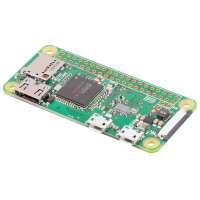
“I have a comprehensive home automation system using old but valuable
software PREMISE-SYS.
I use quite a few ESP8266s communicating with MQTT over WiFi and I have quite a lot of 433.92 switches and dimmers. I recently discovered RF-Link but I failed trying to talk to it with a ESP8266.
Then I thought about Node-Red and decided to run it on my RpiZw it all just worked and I can use SYS with MQTT to and from the RF-Link.”
“Rasbury pie 0W mine works wellI would definitely recommend the Rasbury pie essentials kit.but if you're really on a budget the only thing you need Micro hdmi to HDMI adapter and a sd card. my pie zero case works, however it would not work if you needed to align the heat sink ,because the chip is in a different place on the 0W as far as I know because I only Have the 0w.One of the really usefulis the hammer in 40 pin Male and female I are you One of the really useful is the hammer in 40 pin Male and female iO header that is sold separately just because soldering in the Pins is tricky and there are no options for I O pins to be pre solid.”
“I received an email from The PiHut on Tuesday, ordered a Raspberry Pi Zero W and case. It arrived two days later – the case, for £6, is impressive; 1 base and 3 lids – one plain, one for camera and one for GPIO access. Note that the case also came with the short ribbon cable required to connect the standard Raspberry Pi camera.
The board is yet another technical marvel from the Pi team and the biggest question for me was how did they find board area to include the WiFi/bluetooth 2.4GHz antenna? It is all explained in this post: https://www.raspberrypi.org/magpi/pi-zero-w-wireless-antenna-design/ – it definitely works.
When starting up headless or remote, the issue always with the official raspbian distribution is the Catch 22 issue of how to configure WiFi without access to a console. One way is to connect a serial console on the GPIO ports; I chose a faster way – use a Micro SD card from an already-configured Pi Zero :wink: – loaded with raspian jessie pixel lite.
As an aside – an alternate linux distribution I often use for Raspberry Pi and other ARM boards comes from DietPI – the beauty of this is that there is a text file in the root of the image that can be edited to include your WiFi SSID and password.
So, the board and WiFi work as expected from my previous experience with the Pi Zero. Next step was to run it as a desktop with the full version of rasbian jessie pixel. Not having a bluetooth keyboard to hand, I decided to use my Logitech K400+ keyboard/trackpad combo, connected via a very useful OTG 4-port USB2.0 hub.
The result? Pixel desktop on a Pi Zero is really not very useful, with a YouTube video hammering the CPU @ 100% with stutter. Of course, the single core 1GHz CPU is the limiting factor and a GUI like Pixel needs the 4-core design of the Raspberry Pi 3 Model B.
However, The Pi Zero W is perfect for my current project, running as a controller for sub-1GHz FSK radio sensors, communicating via LwM2M, parsing the data and then uploading via LoraWAN to an AWS IoT gateway over GSM.
Next project will include a Pi camera module, so quick change of case top...”