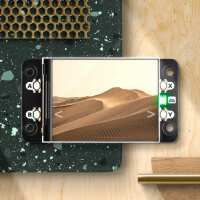
“Getting old is no fun. Finding your glasses for every little project is a pain. With this screen it's just easy to read without glasses. It's clear, smooth refresh rates and can pop with colour if you prefer. If you need informat ion well laid out it works! Even the pwnagotchi can run this screen so it's good for everyone. For serious projects this is the one you need. It's a next level for your hard work”
“Great form factor for the raspberry pi zero, though refreshing the screen takes a relatively large amount of processing power on the zero. Using it as a desktop screen is near impossible, even with all the information online. I used it as a pygame display which works fine, but is slow.”
“The display looks really nice, but have been struggling quite a bit to get it working. Managed to have it displaying something eventually, but took quite a while to get to that point.”
“Fun little display. Getting it working with the newer versions of Raspbian (bookworm) took a little playing around though. The linked resources for FBCP has been deprecated and doesn't work anymore due to DispmanX being removed. However the display does work nicely with the built-in mipi-dbi-spi DRM overlay driver with some custom config:
Instructions/Config file used is follows:
```
#
# Save this file as: pimoronidisphatmini.txt
#
# To install this displays config:
#
# git clone https://github.com/notro/panel-mipi-dbi
# cd panel-mipi-dbi
# ./mipi-dbi-cmd pimoronidisphatmini.bin ../pimoronidisphatmini.txt
# sudo cp pimoronidisphatmini.bin /lib/firmware
#
# To enable in /boot/firmware/config.txt:
#
# dtoverlay=mipi-dbi-spi,spi0-1,speed=48000000
# dtparam=compatible=pimoronidisphatmini\0panel-mipi-dbi-spi
# dtparam=width=320,height=240,width-mm=41,height-mm=31
# dtparam=write-only,cpha,cpol
# dtparam=dc-gpio=9
# dtparam=backlight-gpio=13
# #optional: dtparam=backlight-pwm
#
command 0x11 # exit sleep mode
delay 120
command 0x26 0x04 # gamma curve 3 select
command 0x3A 0x05 # pixel format RGB565
delay 20
command 0x36 0xA0 # address mode (madctl) row/col exchange, row address swap
delay 10
command 0xBA 0x04 # enable gamma
command 0x21 # invert colours
command 0x13 # NORON partial off
delay 10
command 0xB1 0x06 0x01 0x01 # Frame rate control, ~100Hz
command 0x29 # display on
```”
“Nice little product. Note that there is a actually a Python library for the Display Hat Mini via the Pimoroni site https://github.com/pimoroni/displayhatmini-python”