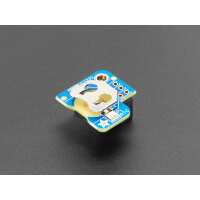
“Quite like the fact that the battery is (easily) replacable, makes it easier to reuse the module if the battery dies, which I have found out has happened with other RTCs!
Getting it set up is quite simple, and you may be able to get it working virtually immediately just by adding
```
dtoverlay=i2c-rtc,ds3231
```
to the end of /boot/firmware/config.txt and rebooting.
It would be nice if the module were a bit smaller imo, though being able to add a standoff could be useful if you wish to make the attachment stronger and more protected, as I decided to do.”
“So far seems to work quite well, and I quite like the fact that the battery is replaceable (have had the mini RTC modules stop working on me). As mentioned below, these won't fit in a Pi4 FLIRC case as is (quite sadly!).
Getting the RTC set up is easy, and seems to work almost instantly on adding:
dtoverlay=i2c-rtc,ds3231
to /boot/firmware/config.txt”
“Placing this small device correctly onto the GPIO pins of your Pi, and following the instructions on the Adafruit store ( use this tutorial: https://learn.adafruit.com/adding-a-real-time-clock-to-raspberry-pi/set-up-and-test-i2c ) results in all applications on the device knowing the correct time, even when there is no internet connection to your device. This is a vital functionality for many applications. I use the device on a Pi 4 and Pi Zero (Pi 5 already has a clock).”
“Good price and arrived very quickly. Wanted to try a RTC to use with the amateur radio wsjt-x data modes, FT8 and FT4 etc which need very accurate time control. Haven't had the chance to try it out yet
as using time.is UTC for time reference works very well. Also, have a GPS dongle to try as well.
Many thanks, G. McCutcheon”
“The device seems to work well and set up was relatively easy, for someone who is fairly new to Rasps. The only -ve I have re: the design is the position on the GPIO pins. Having it on the first 6 pins means that it hampers the use of a case. I had to butcher my Flirc metal case so that it would fit.”