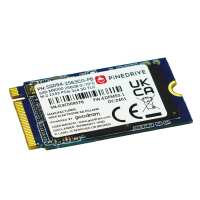
“Just what you want for the PI5. Nice and fast. Suggest you change internal boot configuration on pi5 before using to allow system to see the new drive and boot fromm it. or else it will keep trying to boot from external disk or sd card. No instructions with ssd or the extender board. So do your investigations before you start to fit and use. Otherwise easy to fit and setup as a bootable disk drive. Would like to see one of these for the Pi4 as well.”
“Drive as expected. A few more bytes than the 256GB micro sd that I cloned onto it, so that worked out OK. (takes a long time if cloning, but that is expected).
Note that
256 GB = 256 * 1000 * 1000 * 1000
Which is not the same as
256 GiB = 256 * 1024 * 1024 * 1024,
so computers will always show a smaller number.
Different formatting in the drives accounts for the difference in USABLE space between micro sd and NVMe, but check before cloning.”
“A very speedy drive. Bought to place in the Pinedrive HAT and it works a treat. I opted to do a network boot and install of the Raspi OS and it worked first time. I still needed to change the boot order after updating the EEPROM using an SD card. Forgot to do that first, but straight forward to edit.”
“I paired the Pinedrive 256GB NVMe SSD (2242) with the Raspberry Pi M.2 HAT+ and the combination is working well.
My Rasberry Pi 5 was up and running using an SD card and house in the standard Rasperry Pi case for the Pi5. Before the upgrade I updated the OS and the raspi-config utility and then shutdown the Pi5. I opened up the case and revoved the fan. Using the long screws supplied through the base of the case I fitted the standoffs. I then fitted the M.2 HAT+ to the standoffs using the short screws. Finally I fitted the Pinedrive 256GB NVMe SSD (2242) to the HAT.
I then rebooted the Pi5 and used the imager to write a new copy of the OS to the SSD. I switched the boot order using raspi-config to boot from the SSD. Leaving the SD card in place I rebooted. I then copied my home directories to the SSD.
I'm currently running without and active cooling. As I type this via Firefox the Pi5 is running at 75 degC. That's about 10 degC higher than before the upgrade when the fan was still in place.
The Pi5 is now my regular desktop machine. It's responsive and a pleasure to use.”