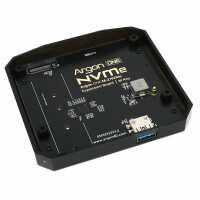
“Perfect fit on the bottom of my Argon40 V2 case.
It's especially useful to be able to plug a USB cable straight into the NVMe adapter and format the drive directly from the PC, no SD card required.
(Once you've enabled USB boot).
This saves a lot of time when setting up your Pi.”
“What a really, great little product, which, does exactly what it says on the tin. And it's really easy to setup and install.
If you already have an Argon One case and looking to expand your storage capacity or intend to use an SSD to boot off, this is the right product to make it happen. I recommend it highly for the above options.”
“The base works and makes booting fast. It does boot, but I get an error, "Controller never released inhibit bit(s)", which I do not yet understand. It does NOT stop the system from operating, and responses to mouse clicks are very speedy. It makes for a very speedy small form system.”
“Superb product. Installation was simple and installing the image onto the M.2 drive was exactly the same as installing to SDcard except for pointing the imager at the m.2 connected directly to my computer via a USB3 cable. Then simply creat an boot image on a spare SDCard. Boot the pi with the SD card and it runs for about 15 seconds. Remove the SDCard and Connect the M.2 via USB3 dongle and boot to the new world of swift and reliable SSD”