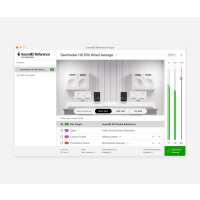
“The Virtual Monitoring Add-on has help me mix (Demos,Beats And Album Ready Songs) when i'm away from my home setup. It's my favorite feature at the moment. I can used the refence curve for my Audio Technica's through my audio interface and simulate a studio listening enviorment for true a stereo expericence.”
“This gives everyone a studio setup without the need to spend. It's extremely good. I'm hoping that Sonarworks will expand to head tracking in the future. I feel like my studio monitors are playing when using the headphones virtual monitoring add on.”
“Great addition to the software. Gives even better overview on how my mixes sound on different listening devices. And thanks for just adding ONE studio speaker setup. There is a lot of listening enviroment simulations out there, and having several of those just add to that sonic confusion you realy want to get rid of.”
“The virtual monitoring add on works better than I expected and because I use headphones to mix and master, this is very important for me. To put it simply. It just works. Well done Sonarworks for living up to your name.”
“If you already have SoundID, get the Virtual Monitoring for proper mixing. However, for now it only has one mixing room as reference (plus car,tv and others, no club).
Wish it had more room simulations as VSX.”
“The new virtual monitoring addon is insane! It adds such a realistic sense of space in my headphones that it often doesn't feel like I'm wearing headphones at all, and that I'm really listening to an actual acoustic space. Especially the car translation! Super impressed by all the Sonarworks products as usual. Keep it up team!”
“SoundID Reference Virtual Monitoring Add-on without software is a game-changer. As expected from Sonarworks, it delivers a spectacular sound that mirrors my Adam Audio A7V monitors and subwoofer. Now I can enjoy music through headphones without disturbing neighbors, making it a fantastic addition to my setup. Highly recommended.”