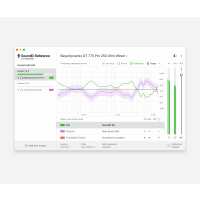
“it's taken some time to get use to the volume oput when I activate soundID but it's been really helpful with my mixes since I started. I like the fact that I can try out different speakers without having to take my music to play on them I can do it right there within the app. I like it a lot and I'd recomment it to anyone I know thats getting into mixing and engeneering.”
“Awesome product for those of us who don't have the cash to deck out and acoustically treat a studio space (or who want to do some mixing and mastering while at work...shhh). I would definitely reccommend. I'm leaving off one star simply because it's a bit pricy, but other than that, awesome.”
“SoundID Reference does not seem to do what I was looking for either - I got it for a pair of Audeze LCD-XC, in order to help the low end spectrum of the headphones. What I got instead was even less low end and way more mids, so exactly the opposite. I ended up using the custom eq, with a light low shelf and some minor tweaks in the mids. It kind of worked, but I still feel like I'm walking on moving sand and constantly need to use referrence tracks.
The fact that I always have to remember to turn it off when I export is also a minus, but I understant that it has something like a warning for that. Didn't get it but also did not investigate that. Ofcourse, this is no longer an issue for DAWs that allow separate monitoring path. Pro Tools, unfortunately, does not have that option.
Overall, even though I'm assuming it does what it says and I just need to spend more time with it, I was hoping it to be a little more plug and play and... I don't know... be more mindblown by the difference.
I hope this was somewhat helpful.
Thanks!”
Hello,
Thank you for reaching out!
The SoundID Reference flat profile something that you have to get used to, simply, by using it for extended periods of time. I'd suggest lowering the dry/wet value and increasing it gradually over time.
A good test would be to do two mixes - one with SoundID Reference FLAT profile on and one without SoundID Reference. Then test both tracks on numerous sound systems and see which sounds more balanced!
Yes, there are some workarounds for the bypass workflow, such as setting up a dedicated monitor bus in Pro Tools. You can learn more about it in our support center here: https://soundid-reference.support.sonarworks.com/hc/en-us/articles/360019903960
I hope this helps!
“Sonarworks SoundID Reference was recommended by a mentor of mine who is an award-winning mix engineer. I do the majority of my mixing in headphones due to limitations with my studio space, and so far I have been very pleased with Sonarworks. It's a brilliant product!”
“Sonarworks for Headphones works very good and does what I need it for. I only need it for flattening my Beyer dynamic T1 and this does it very good.
However I already purchased Sonarworks TrueFi before. This product is discontinued. I could only use the free SoundID Listen with my paid TrueFi Key. However SoundID Listen now has a big bug under windows 11 and doesn't work anymore. So I had to buy SoundID Reference and pay double.”
“It's a game changer for me. I wasn't even aware as to how much my room was impacting my mixes since they were based on my Presonus ERIS E5 reference monitors. Now I have a much more clear of an image when I'm mixing.”