Login
Start Free Trial Are you a business? Click Here

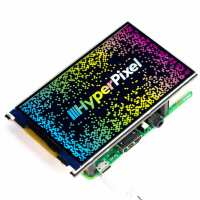
HyperPixel 4.0 - Hi-Res Display for Raspberry Pi Non-Touch Reviews

4.7 Rating 37 Reviews
Read Pimoroni Ltd Reviews

About Pimoroni Ltd:

The ultimate Maker store — a curated range of the best of breed Maker products. Worldwide delivery. Personal support.

Visit Product Page
Nick Pettefar
Verified Reviewer
I couldn’t get this to work on a RPi4 running the latest Raspberry Pi OS. I was quite disappointed. I wanted a headless server system monitor.
1 Helpful Report
Posted 2 months ago
Ahoy Nick - Sorry to hear that it's not working! I see my colleague Rico sent you an email pointing out an error in your /boot/firmware/config.txt last week - did amending this help at all? Please feel free to drop us a line at support@pimoroni.com if you need more help!
Posted 2 months ago
Amazing alternative to Adafruit displays. HyperPixel 4.0 is crazily fast and brillant. After my first order and trial with a Raspberry, I immediately ordered more.
Helpful Report
Posted 6 months ago
Lauri Gustafsson
Verified Reviewer
Perfect little display for art projects and the like! It has a high contrast, solid build quality, and 60Hz smooth motion. Paired with a Raspberry Pi 5's improved VideoCore VII GPU, it's currently displaying my shaders as a decoration inside my PC. The installation was very straightforward, with all standoffs etc. included in the package.
Helpful Report
Posted 1 year ago
Absolutely and perfectly convient display
Helpful Report
Posted 1 year ago
Got this running Recalbox on a 3b, not too tricky to set up. Nice screen.
Helpful Report
Posted 2 years ago
The screen works wonderfully. Just be sure you triple check your connection pins because plugging it in backwards will brick it without anything looking obviously wrong. Customer service was lovely and super patient with me considering it was user error.
Helpful Report
Posted 2 years ago
Valtteri Kortesmaa
Verified Reviewer
I use HyperPixel 4.0 with a Raspberry Pi Zero W. It was quite easy to get working, just needed to find the right documentation. So far I've been able to adjust the orientation and backlight intensity to my needs. It's a bit of a challenge to find all relevant documentation and specifications.
Helpful Report
Posted 2 years ago
Michael Shorter
Verified Reviewer
Super easy to use and superior quality to screens I've used in the past.
Helpful Report
Posted 3 years ago