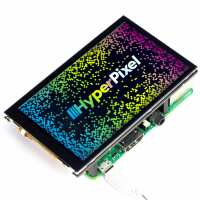
“Works great and easily installed. I wish I had realised that the gpio pins we're all in use when this is fitted. I now have to fit an i2c gpio board to make this work with my project.”
“This is clearly a high-quality offering from Pimoroni, but with some flaws and drawbacks that will probably be addressed in time: (1) Be very, very careful when attaching or removing the headers or inserting or removing from a Pi; there is very little to hold on to that isn't the glass, and the glass is fragile. (2) Mine suffers from flickering streaks across unsaturated coloured or grey areas, which is annoying. (3) I'm not sure whether the driver software would allow you to use it as anything other than the primary desktop display -- any tutorial help from Pimoroni on how to use it as an alternative display would be very much appreciated :-)”
“I have some problems calibrating the touch display, same behavior on a 3A+, a 3B+ and the latest raspberry pi 4. Trying to find a solution on the forums but it's not so easy to find...”
“I ordered the HyperPixel Touch version for a few different project ideas and I am running it on a Raspberry Pi 3B for this review.
I have tested various features and I am very impressed.
Firstly the quality of the screen, this is outstanding for the size and price. I've tested this by playing Big Buck Bunny in 480p and it is perfect.
The touch screen is very sensitive and works really well with programming tools like GUIZero, KIVY and the normal Raspberry Pi desktop,
Trying various on-screen keyboards and they were easy to use, but if you have big fingers you may want to look at using a stylus.
Installation was easy and thankfully required no soldering!
I will be back for another in a few months!”
“Just works, touch screen always perfectly aligned and precise. Use https://github.com/pimoroni/HyperPixel4TouchScreen/tree/master/driver if you want portrait orientations.”