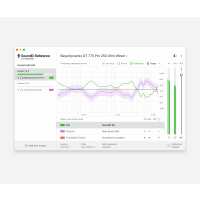
“In the dynamic environment where I often find myself working on the fly, SoundID Reference has become an indispensable asset in my toolkit. Leveraging this software with my Rode NT100 headphones, I have managed to strike a fine balance in my audio outputs, especially when it comes to bass — it’s neither too little nor too much, just impeccably balanced. This finesse translates into less adjustment time in the studio, a boon for anyone in the fast-paced world of sound engineering and mixing.
Finding the preset for my Rode NT100 was straightforward, facilitating a smooth transition into the mixing process and setting a high note right from the start. The calibration process the software employs is meticulous, delivering a sound output that is rich and finely detailed, an aspect that has noticeably elevated my audio mixing experiences.
The user experience is friendly, marked by a hassle-free download process and an intuitive interface post-installation, making it accessible for both beginners and seasoned professionals.
Despite its many strengths, I encountered occasional connection instabilities, a minor hiccup in an otherwise smooth sailing experience. Addressing this in future updates could pave the way for an even more polished user experience.
Looking forward, I am eager to see a feature incorporated that assists users in swiftly troubleshooting connection glitches, ensuring an uninterrupted and seamless workflow, which is essential for on-the-fly work scenarios like mine.
In conclusion, SoundID Reference has proven to be a powerhouse tool, enhancing the innate capabilities of my Rode NT100 headphones and significantly reducing the amount of adjustment needed once I get to the studio. While there is a small room for improvement, the software has set a solid benchmark in the industry, promising an upward trajectory in its future iterations.”
“Sonarworks Sound Reference ID for headphones gives me an edge on mixing. My headphones the Beyerdynamic DT 770 Pro 80 ohms give me a new perspective on mixing. When exporting my mix I was surprised by the outcome of my finished product. It sounded more professionally done. I'm very happy with my purchase.”
“I have zero complaints about this software. Sonarworks has really helped my mixes. Easy to understand interface and many headphone profiles. I highly recommend Sonarworks”
“Like a lot of people, I was searching for a way to correct my not-so-great studio headphones. I always had problems with my tracks/mixes translating to speakers or just basic headphones.
SoundID solved one of the most important aspects of my music production. Before I used SoundID, I tried correcting the problems after I was done with a track. With SoundID, I don't have to worry about my headphones coloring the full frequency range.
Here are some of my favorite things and features:
- Translation check: Offers the option to check your mix against other sound sources. Before SoundID I used three different programs to check my mix for things like car systems, earbuds and or smartphone speakers.
- Dry/Wet: Perfect to let some of the colored headphone audio through in the mix
- Fast profile switching: Switching between different models of headphones is extremely easy and fast. I borrowed some headphones from a friend and just added a new headphone profile for it in the software. Every time I used other headphones, it was just one click to change between the two profiles.
- Latency!: From a technical standpoint, SoundID is just amazing. Super easy to install, the DAW Plugin works as intended and the different filter types are useful in different situations.
Everything went smoothly and coming from an IT guy's perspective, I enjoyed the activation process and license management a lot. Extremely simple and well done. I think I didn't have such a good experience with a software and company for years. Thanks a lot for that. Keep it up!
Felix Kessler”
“SonarWorks immediately improved my mixes. I was struggling a lot with my mixes sounding muddy or runny on devices other than my headphones but SonarWorks made everything so much more transferrable. 10/10 I would recommend this program for anyone who is also having difficulty.”
“I’ve wanted this for awhile. Now that I finally have it the other tools I use hold a little more weight. I keep getting that pop up when I bounce my songs. I checked the box a million times but I still get the pop up. Look up Paul Third on YouTube he’s kinda right with his assessment.”
Hello Rashad,
Thank you for the review!
As per the render bypass notification, I am unfortunate to hear that there is such an issue. There are a few exceptions where the warning is still appearing when you export the mix. There are some known causes for this behavior and is limited to a small amount of very particular scenarios.
For more information about this behaviour learn more here: https://soundid-reference.support.sonarworks.com/hc/en-us/articles/360020087720-Render-bypass-workflow-with-the-SoundID-Reference-DAW-plugin
If there are any additional questions, please reach out to our support team. We'll be happy to help!
“I live in a flat, in a large building with thin walls and thin floors, so sound/ noise is a big problem. Being able to mix through headphones is unfortunately necessary. A tool like Sonarworks is critical for me. What a great idea these guys came up, bravo!”