“ive been using the reference software for many years now all the way back to sonarworks 4. it changed the game for my mixing ability and confidence. these days im rarely finding i have to go back into my mixdowns and adjust after doing car tests, etc. with soundid i get it right the first time and move on!”
“Sonarworks Sound ID has been an amazing addition to my production. Prior to purchase, I had always been extremely unsure of how my low end was truly fitting into the mix but now I feel much more confident in my mixes due to Sound ID balancing out my low end in my headphones. Great product.”
“Absolut must for any “studio grade” headphones. Completely changes your listening experience for the better. The built in calibrated profiles are amazing.”
“it works great! the headphones i use are the dt 770 pro 250 ohm and the highs can cause fatigue in my ears pretty quickly, this helps curb it and my ears are very thankful”
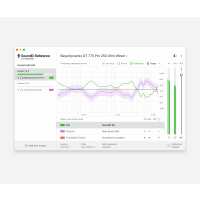
“Once Sonarworks reference ID for headphones is installed the use is pretty straightforward: you get a plugin for your DAW and a standalone software.
When you open the GUI the use is self explanatory, there's even arrows hinting the next step. In my case: add new headphone, select my headphone, enable the EQ curve. You can dial in the amount of dry/wet which is very nice especially when using an averaged EQ curve.”