“I covered it in the review of Sonarworks at the start. But, to clarify, I'm happy to have bought this software at the end of my trial, and will most likely shell out for the speaker version with your mic, to see what it does for my sorry speakers, and any future better ones I should get.”
Hi,
Thanks for your review, we really appreciate it!
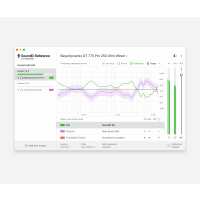
By default, the output is lowered when the Safe Headroom feature is enabled. The Safe Headroom feature lowers the output volume by the maximum peak in the correction curve to prevent the output from clipping. It is possible to disable Safe Headroom as well, but at the risk of introducing clipping.
Find the Safe Headroom feature located at the bottom of the app window -> click on it -> then click on the Enabled/Disabled toggle to change the state. Once you've set it to Disabled, you will be able to turn the volume fader located on the right side all the way up.
We hope this helps, but if there's still an issue with the volume, please feel free to submit a ticket to our support team, so we can look further into it (submit a request here https://www.sonarworks.com/support/new-ticket).
“SoundID Reference is wonderful. It lets you fully customize the sound of any audio equipment with minimal added distortion. For most headphones it markedly improves the sound signature. I'm rocking a slight roll-off in the treble to try to simulate the frequency attenuation one might experience at a live concert or from speakers, and the result is an extremely natural sound with no obvious flaws from my AT R70x headphones (aside from rolling off below 30Hz, not going to push open cans in a way that could be detrimental to them). The relative lack of instrument separation that they are known for vanished - it's a frequency response issue.
As a musician the overall improvement from using this software far surpasses the quality jump one would get from using a 4 figure amp + a 4 figure DAC. Highly recommended for any casual user or avid music listener looking to get more out of their audio equipment.”
“This has changed a lot for me especially when it comes to getting a really balanced mix on my headphones and the best part is I can pick up mostly any headphones and have access to a flatter mixing experience at the click of a button”