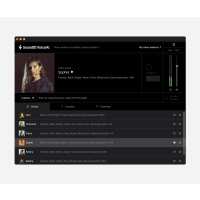
“So far, so good! Easy to use, nice layout and pretty wide range of voices. Easy to Capture and Remove for editing purposes. I also like that the voices easily lay down over existing vocal track, no extra work in set up and building / managing the creating of voices independently. I also like that you can easily sample the voices ahead of capturing.
Cons: I don't like that the voices are built into the background of the track so that editing is impossible. Once the voice is captured you can not Quantize or slide or in any way manipulate events or make independent adjustments to volume or alignment. The only work around is to create an automation, but this only works for volume control and can be a lot of time consuming effort. Or you can spend time removing AI voice, making edits to original vocal track and recapturing again and again. Also: I like that you can transpose the AI voice chromatically but doing so creates diatonic problems which can only be solved by having a set of scales/ modes available to set as the AI voice scale to follow and remain diatonically correct. I'd like to see developers address these very important issues and hopefully update my Sound ID software.
Overall: I'm enjoying this software and it's working well enough for my current endeavors. I also understand that this is new technology and I'm certain developers are always working hard to knock out the little bugs like I just mentioned.”
“Promising potential, needs better algorithm and user friendlies in allowing direct file uploads instead of audio capture + GPU support for local processing.”
“Absoultely blown away by the quality of the voices and how well it worked with my voice. Easy to use and also affordable. I will be able to use this in many productions as it is versatile as well.”
“I downloaded the trial version of this but there weren't enough credits to really get to grips with it and so I let my trial expire. However I have been looking for a voice synth for so long now and was thinking about Resing but that just didn't work for me so in the end I sort of fell into getting VoiceAI and bought the base pack plus the Rock Voices add-on.
However, since I have given VoiceAI the time it deserves I am so happy with the results. They really do sound ultra realistic. As with any tool you have to get the base vocal 90% right before you apply VoiceAI i.e. you MAY need to pitch correct before applying but this is now firnly embedded in my workflow for song production. I use either a combination of SynthV to get the base vocals developed or sing sections myself before then using VoiceAI. Either way works really well.
I also bought the Rock add-on voices as while you do get a lot of base voices a number of them can be a little too 'perfect' and I prefer some texture in my voices. This has been a great additional purchase. Probably just needs some more Soul/R&B voices now to really complete the line-up but the voices are pretty diverse and with the ability to adjust the overall pitch for the vocal there is quite a bit of flexibility. Each voice has a guide range as well anyway so you can adjust the input vocals before applying VoiceAI if need be.
So overall I would say that you need to give this product an investment in time. The voices do really sound at least as natural as the vocal that you put into it if not better and it does a good job at even correcting some 'off-notes'. Having tried a lot of these types of plug-ins I would say that this is the best one by some way and is easy to use once you have familiarised yourself with how it works”
“If there was the possibility of integrating a small "autotune" feature into the plugin to correct imperfections, it wouldn't have to be a true "autotune" but simply something to smooth out any "oscillations" in the voice, something more specific, such as the "pitch correction" plugin built into Logic Pro.”