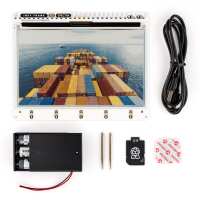
“The Inky Frame is a great board to start learning MicroPython and e-ink displays with. Im in the US, and it arrived about a week after ordering. Customer support was quick to respond when I had a question about importing. The software that comes preloaded on the device is great for the initial learning curve, and Pimoroni's own MicroPython library was very intuitive to work with while also having tons of documentation online. I got my display up and running and displaying my own images within minutes of unpacking it. I did run into a known bug with the display buffer though, when connected to a pc the software updating the screen would sometimes break, and the device would display the first 5% of the image and repeat it over the whole canvas. Disconnecting from the computer and running the board from the battery pack seemed to fix this issue. The Pico 2 W is such a versatile device as well. Connecting it to the internet was finicky but eventually worked, you can then grab any info from online and display it however you want. Your imagination is really the limit as far as what you want to use this for. You don't have to use any of Pimoroni's code libraries if you don't want to, and you can code in a few different languages, MicroPython through Thonny worked great for me. Pimoroni also makes it easy to disable their dithering algorithm for the display and write your own, or just use pre-dithered images. I encourage everyone to experiment with different dithering algorithms themselves because these arguably have the highest impact on how accurate things will look on the display. Pic attached is the screen loaded with 60 different colors using Pimoronis dithering alg so you can see what to expect out of the box.”
“This got me started playing with e paper and raspberry pi coding after a few years of using arduino. Having everything built in meant I could start coding and testing what I wanted to do straight away rather than testing my patience on adding buttons etc.
The screen is clear and refreshes acceptably quickly. Wish there was a native way to run the screen portrait but I have worked around that. An extra hole for the little legs to support this would be nice.
It doesn’t quite fit in an Ikea frame 13x18cm so I have cut a face plate with plywood until I can make a proper frame”
“Beautiful hardware that works out of the box. Love the deep sleep etc capability. Only complaint is a minor bug in the sdk sample code where not resetting the RTC was causing instant wake-up. Besides that, it's a great product.”
“Overall, I'm pretty happy. A few pros and cons.
Pros:
- Much quicker refresh rates
- Pico 2 is masterfully soldered on, sits incredibly flush to the screen allowing it all to be mounted into a picture fram easily.
- Integrated buttons that interrupt the RTC and power the Pico back on
- Integrated JST for a battery pack, super easy to implement.
Cons:
- *Important* At least on my board, this is the A2 stepping version which prone to the E9 erratum. In laymans terms (as I had to learn all about this...), it will kill any battery-powered project without some brutalist workarounds to mitigate the issue. It may be worth buying the A4 stepping Picos separately?
- The screen is definitely less saturated than the older 7-colour models. Colours are a lot more muted, the example pictures have been selected to showcase the screen at its best. Taking a normal picture and displaying it, the results are normally pretty disappointing. But for my use case -- writing and illustrations -- it is perfect.
- Screen is still very grey. This isn't particular to this board, but most colour boards have a very grey screen...and this is no different.
- RTC is finicky. The supplied Python wrappers (sleep_for) is pretty atrocious at handling anything that crosses the midnight mark due to the way the two clocks do/don't sync. If you just need your board to wake up every xx minutes, it's great! Wake up at time XX:YY, it is unncessarily complex to get up and running without very careful synchronisation.
Overall though, I'm happy -- it's put together really nicely but historical flaws in the silicon and some unnecessary effort required to use the RTC just keep it shy of brilliant.”
“Easy-to-program E-Ink display via Thonny. I will use it to monitor my sensor data from the garden and my solar power plant on the terrace. I can also run a slideshow with vacation photos.”
“The frame is great. I had never tinkered with anything like this before and the examples online were very straightforward. Came very quick too and was nicely packaged.”