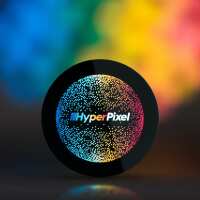
“[2024 review] Awesome screen, but could only get it to work with Rasbian Buster and the legacy drivers. That means you're locked into the OS from 2021 and can't update”
Ahoy Mike
It should be possible to get it working with recent versions of Pi OS (albeit without touch) using the new built-in kernel drivers - there's some instructions how to do this on the shop page: https://shop.pimoroni.com/products/hyperpixel-round
If you're having trouble, feel free to drop us an email at support@pimoroni.com with as much detail as you can about what steps you've followed and we'll do our best to help :)
“Easy to set up, lots of "wow" factor. We built a custom OS for a Bluetooth sound system demo project, and this display is the other star of the show. Just be careful with it! Don't hold it by the cover glass. Sit it face down and hold the PCB while attaching or removing the Pi. Hold the Pi itself when plugging or unplugging things.”
“After a convoluted setting up procedure I finally got it up and running with the pimoroni examples
An awesome screen bought in the sale so well worth it”
“Beautiful display, goes with a pi zero perfectly. This will be the heart of a smart bedside clock for my son. It’s a pity it doesn’t work with the latest raspbian. Hopefully this will change in the future!”
“The screen is sharp and clear, and works very well after installing the drivers on the default Raspbian OS with desktop. IMPORTANT: If you are using Raspberry Pi Zero 2 - you have to choose the "G1 Legacy" GL Driver in the Advanced Options of raspi-config”
“The display is a perfect fit for my project. With resources found on the internet and provided examples, it was relatively easy to make it work. Image quality is high, touch control responsive and precise.”