“After some work and so fast response from pimoroni i got it working. READ THIS!!! you have to put pimoronis uf2 file to the pico not the one from raspberry pi. here is a link if you are stuck https://github.com/pimoroni/pimoroni-pico-rp2350/releases?utm_source=chatgpt.com It did break it vby acident while soldering wich was annoying but i am ordering a new one as it was very good otherwise.”
Ahoy Markus!
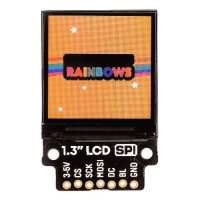
Graphics drivers for this display are built in to our custom MicroPython build - our Getting Started with Pico guide covers how to install that and how to communicate with your Pico using Thonny: https://learn.pimoroni.com/article/getting-started-with-pico
A MicroPython example for this screen can be found here: https://github.com/pimoroni/pimoroni-pico/blob/main/micropython/examples/breakout_colourlcd240x240/balls_demo.py . You might also find our PicoGraphics documentation helpful: https://github.com/pimoroni/pimoroni-pico/tree/main/micropython/modules/picographics
Please drop us an email at support@pimoroni.com if you're still stuck and we'll do our best to help further :)
“As a bit of a novice I was still within minutes able to use the simple example programs to display photos and graphics. Connecting my Pi to my NAS, I can now display all of my photos on a teeny tiny screen!”