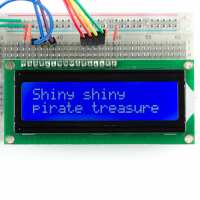
“Ordered on Christmas Day - Arrived 3 days later ( which is actually next working day ) . Wired it up to a Raspberry Pi and after a few minutes Python work it was up and running . Just what I wanted”
“good back lit display. Pin compatible with other makes. I was using a 16x2 as a test that I bought many years ago - this one just plugged in and works (aside from needing the back light power connected.
Good price, very prompt delivery. I can't fault it.”
“Yep, very good - I tried to cobble an old screen than I had around in my junk box. Three hours later I'd rigged something up - a little untidy but it worked. One hour later it failed so I bought the nice simple 16 x 2 screen from Pimoroni. Soldered up in 10 minutes and it's going fine. I really wondered why I'd wasted so much time penny-pinching when this is such a nicer, much more reliable product!”
“I had spent ages with a different LCD which came as part of a PI starter bundle thing. I just could not get it to display anything. I spent ages checking wires/solder/pins/code,etc. I suspect that it was my dodgy soldering.
This comes pre-soldered. I wired it up, downloaded the sample code from the link given in another review (Marks one) , and ran it.
LCD came on and displayed messages. Great.
Ignore the datasheet - go with the onboard Pin descriptions. GND is pin 1.
(FWIW I then plugged in my other LCD and ran the same code, still nothing. Am now going to practice my soldering...)”
“There's not much to say about this LCD. It has backlight, so it is visible in the dark. It's small, has mount holes, and the headers are pre-soldered, as you've read in the product description. There is, however, one thing - the pinout info on the datasheet and on the onboard legend conflict. On the datasheet, it says that pin 1 is 5V, and that pin 2 is ground. The onboard legend says the opposite. I connected it according to the onboard legend, which agrees with [this tutorial](https://www.youtube.com/watch?v=cVdSc8VYVBM) on the pinout, with pin 1 being ground and pin 2 being 5V. This setup worked fine, so please make sure that you connect pin 1 to ground and pin 2 to 5V, contrary to what the datasheet says.”