
Login
Start Free Trial Are you a business? Click Here

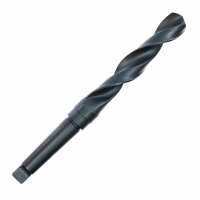
Morse Taper Shank 21.0mm x 243mm Reviews

5 Rating 1 Reviews
Read UK Drills Reviews
Visit Product Page

Phone:

01942 523627

Location:

26 Wigan Road, Hindley,
Wigan,
Wigan
Manchester
WN2 3BE

How do I enter pairing mode? Start with your shokz open ear headphones powered off. Press and hold the volume+ button for 3-5 seconds. Audrey says “Welcome to Shokz.” Continue holding the volume+ button for an additional 2-3 seconds. Audrey will say “Pairing” and the LED will flash red and blue, indicating pairing mode. How do I turn off the headphones? Press and hold the volume+ button for 3-5 seconds. Audrey will say “Power Off.” How do I pause a song? Click the multifunction button once while music is playing. You’ll hear one beep. The music will pause. How do I resume a song? Click the multifunction button once while music is paused. You’ll hear one beep. The music will resume. How do I skip to the next song? Double-click the multifunction button while music is playing. You’ll hear one beep. The next track will play. How do I go back a song? Triple-click the multifunction button while music is playing. You'll hear one beep. The track will begin again. How do I answer a call? Click the multifunction button once while a call is coming in. You’ll hear one beep and the call will be answered. How do I end a call? Click the multifunction button once while on a call. You’ll hear one beep and the call will end. How do I reject a call? Press and hold the multifunction button for two seconds as a call is coming in. You’ll hear two beeps and the call will be rejected. How do I prompt my device’s intelligent personal assistant? Press and hold the multifunction button for two seconds, prompting your device's intelligent personal assistant. You’ll hear one beep. How do I redial the last number? Double-click the multifunction button when music is paused. Audrey says “Last Number Redial.” How do I mute the mic? Press and hold the volume+ and volume- buttons simultaneously for two seconds while on a call. Audrey will say “Mute On.” How do I unmute the mic? Press and hold the volume+ and volume- buttons simultaneously for two seconds while on a call with the mic muted. Audrey will say “Mute Off.” How do I change the EQ setting? Press and hold the volume+ and volume- buttons simultaneously for two seconds while music is playing. Audrey says “Equalization Changed.” How do I check the battery status? Click the volume+ or volume- button while music is paused. Audrey says “Battery High,” “Battery Medium,” “Battery Low,” or “Charge Me.” Please note this feature may not work on all devices. How do I adjust the volume? Click the volume+ or volume- buttons to increase or decrease volume levels. How do I reset the headphones? 1. Start with your headphones powered off. 2. Enter pairing mode by pressing and holding the volume+ button for 5-7 seconds. Your headphones will turn on, and then the LED light will flash red and blue. 3. Press and hold the multifunction button, volume+ button and volume- button simultaneously for 3-5 seconds. You'll hear beeps and/or feel vibrations. 4. Turn your headphones off.
Helpful Report
Posted 4 months ago

