

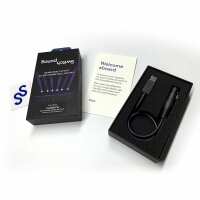
Software & Hardware for DMX Lighting Control Simplified! SoundSwitch is the world’s leading lighting control solution. It lets users create custom lighting shows and scenes that are automatically synced with audio files when played back live in DJ software. Users can be as creative as they like in the Digital Lighting Workstation (DLW) or let the software do the work via the automation features or pre-built lighting scenes. SoundSwitch allows DJs and lighting designers to sync lighting visuals with live audio seamlessly which are outputted to the lighting array via SoundSwitch hardware or third-party supported interfaces. More creative possibilities and an elevated performance are all possible for DJs and lighting techs alike with SoundSwitch. With the SoundSwitch Micro DMX Interface, simplify your lighting setup with a single USB to DMX connector for support of one DMX universe. From the get-go, the SoundSwitch Micro DMX Interface doesn’t disappoint with 3 months free SoundSwitch software access so you can jump right in and create automatic light show with beatgrids, compatible with Serato DJ, Virtual DJ and Engine Prime. SoundSwitch - Key Product Features - Automatic Light shows Synced with beatgrids - Compatible with Serato DJ, Virtual DJ and Engine Prime - Ableton LINK - AutoScripting Light Show Generation - MIDI Mapping and Control of Lighting Effects SoundSwitch MICRO-DMX Interface - Interface for SoundSwitch Lighting Software - Connect lighting hardware directly to computer via USB - USB to DMX XLR Connector - Blue LED Connection Status Indicator - Compact Portable Design - 3 Months Free Software Access
Visit Product PagePhone:
01325 480507
Location:
65 Stockton Road Darlington County Durham DL1 2RZ
County Durham
DL1 2RZ



